Master the Three Core Modules of Beauty SDK in One Article: Beauty Enhancement & Shaping, Filters, and Dynamic Stickers
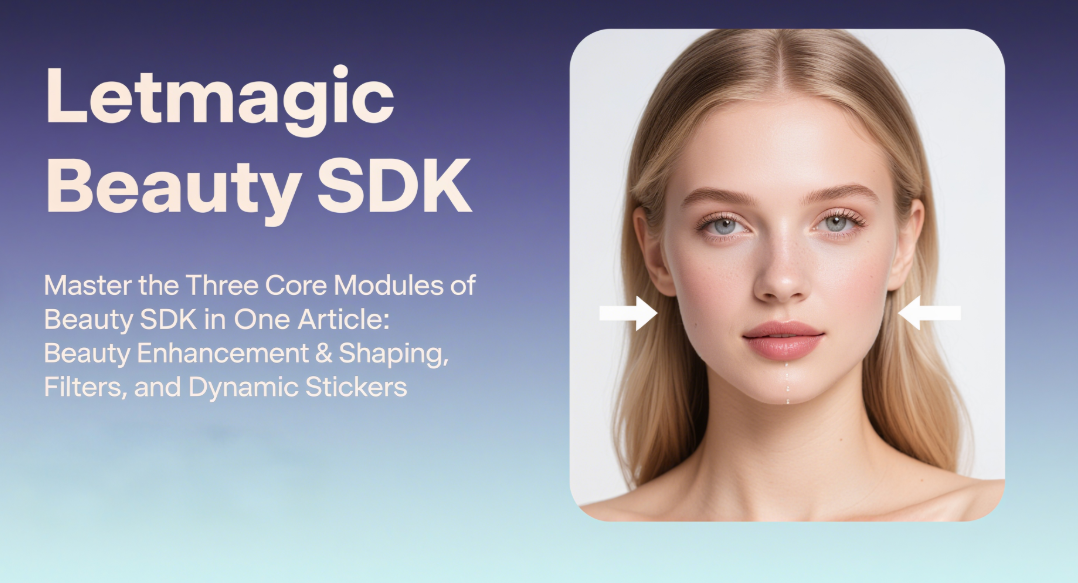
When you open a short video app to record a daily vlog or interact with viewers during a live stream, a gentle slide on the screen to adjust parameters instantly makes your skin smooth and translucent, and your face shape natural and refined. Behind this lies the Beauty SDK (Software Development Kit), which processes the image in real time, allowing ordinary users to easily achieve professional-level visual effects. As a core technical component supporting various image-related applications, the capabilities of Beauty SDK directly affect the user experience of products. Today, we will delve into its three core modules: Beauty Enhancement & Shaping, Filters, and Dynamic Stickers, exploring how they work together and the technical logic behind them.
Beauty Enhancement & Shaping is the most basic yet core demand of users for SDK. Its essence is to finely adjust facial features through algorithms while maintaining the authenticity of the image. Specifically, the technical workflow of this module can be divided into three key links:
The first is accurate facial positioning. The SDK needs to capture images in real time through the camera, quickly lock the facial area using face detection algorithms (such as MTCNN, RetinaFace, etc.), and extract 68 or 98 key feature points (such as eye corners, mouth corners, jawline, etc.). These feature points are like "coordinate anchors", providing a positioning basis for subsequent beautification adjustments – for example, face slimming requires locking the key points of the jawline, while eye enlargement is based on the feature points of the eye contour.
The second is layered beautification processing. For different areas of the face, the algorithm adopts differentiated strategies:
- Skin Smoothing: It needs to eliminate blemishes such as acne and spots while retaining skin texture (such as pores and moles) to avoid a "plastic-like appearance". The mainstream solution is to use technologies like bilateral filtering and guided filtering to blur high-frequency noise (blemishes) while preserving low-frequency details (texture). Some advanced SDKs also integrate AI skin texture analysis to distinguish skin types such as oily skin and dry skin, and dynamically adjust the intensity of skin smoothing.
- Facial Shaping: Unlike the early "one-size-fits-all" stretching deformation, modern facial shaping algorithms pay more attention to "skeletal sense" – by adjusting the relative positions of key feature points, effects such as face slimming, nose thinning, and eye corner extension are achieved. At the same time, the adjustment range is restricted to ensure that the changes in face shape conform to anatomical logic (for example, the adjustment of the jawline will not cause a "disconnected" fault). Some SDKs also support "stylized facial shaping", such as automatically matching different parameter combinations according to the user-selected presets of "natural style" or "on-camera style".
The third is edge fusion and dynamic stability. When the user turns their head or changes expressions, the feature points will shift with facial movements. The algorithm needs to track and correct the beautified area in real time to avoid "beauty faults" (such as the sudden disappearance of the skin-smoothing effect when turning to the side). This step relies on the stability of the feature point tracking algorithm and the edge feathering processing between the beautified area and the background, ensuring that the beautification effect is "face-fitting" and natural.
If Beauty Enhancement & Shaping is "face retouching", filters are like "dressing up" the entire image – through color adjustment and light simulation, they quickly create different scene atmospheres (such as fresh Japanese style, retro Hong Kong style, cinematic film style, etc.). Behind the seemingly simple "one-click color adjustment" lies complex image color science and real-time rendering technology.
The technical core of the filter module is color space conversion and style mapping. Images captured by the original camera are usually based on the RGB color space, while the filter algorithm first converts them to a color space more suitable for color adjustment, such as HSV (Hue, Saturation, Value) or LAB. Then, stylization is achieved through the following methods:
- Parametric Color Adjustment: By adjusting basic parameters such as contrast, saturation, and color temperature, and overlaying curves (such as S-curves to enhance contrast) and levels (compressing shadows or brightening highlights), basic styles like "fresh" or "rich" are achieved.
- LUT Color Mapping: This is a key technology for realizing complex styles. Developers pre-create a "Lookup Table (LUT)" – adjust a standard color chart to the target style using professional software (such as Photoshop), and then store the "original color - target color" correspondence of the color chart as a LUT file. During the real-time operation of the SDK, it only needs to look up and replace the color value of each pixel in the image in the LUT to quickly reproduce the preset style. This method is highly efficient, capable of processing a frame of image with a filter in milliseconds, meeting the demand for real-time preview.
In addition to basic color adjustment, advanced filters also integrate scenario-based light simulation. For example, the "backlight filter" overlays a halo effect on the character's outline, while the "night scene filter" restores details in dark areas through intelligent noise reduction and local brightening, preventing the image from becoming a blurry mess. Some SDKs even support "dynamic filters" – which adaptively adjust parameters based on image content (such as automatically enhancing the blue tone when the sky is detected, and optimizing skin tone when a portrait is detected), achieving the effect of "one filter for multiple scenarios".
It is worth noting that filters need to work in coordination with Beauty Enhancement & Shaping: for example, a retro filter may reduce saturation, and at this time, the SDK needs to automatically compensate for the saturation of the skin tone area to prevent the character's face from looking "gray"; a high-contrast filter may amplify skin-smoothing blemishes, so the algorithm needs to dynamically enhance the intensity of skin smoothing. This "module linkage" is an important indicator to measure the maturity of the SDK.
Dynamic stickers are the "finishing touch" that enhances the fun of content – from "cat ears" and "rabbit teeth" in live streams to "gesture-triggered effects" in short videos, they essentially integrate virtual materials with real images in real time through AR (Augmented Reality) technology. The technical difficulty of this module lies in the accurate fitting of stickers to the face/scene and the smoothness of dynamic interaction.
The first is sticker binding driven by feature points. Dynamic stickers are usually composed of 2D image sequences or 3D models. The SDK needs to "anchor" the stickers to the facial feature points: for example, "cat ears" are bound to the key points of the temples, and "mask stickers" fit the outline of the mouth. When the user shakes their head or smiles, the stickers will "swing synchronously" with the movement of the feature points, avoiding a "floating feeling". For 3D stickers (such as 3D glasses and hats), a depth estimation algorithm is also required (monocular cameras calculate depth based on the distance between feature points, while binocular or ToF cameras directly obtain depth information) to make the stickers present a perspective effect of "near large, far small", enhancing the sense of reality.
The second is trigger-based interaction and scene recognition. In addition to following facial movements, dynamic stickers also support "conditional triggering": for example, popping up a "surprised" emoji when the user opens their mouth, or triggering a fireworks effect when making an "OK" gesture. This requires the SDK to integrate gesture recognition and expression recognition algorithms, analyze the movements or expressions in the image in real time, and match them with the "trigger rules" in the sticker material library. Some advanced SDKs also support "scene stickers", such as falling virtual snowflakes when the sky is detected, or adding a "cute filter" when a pet is recognized, further expanding the boundaries of interaction.
The third is material lightweight and rendering efficiency. Dynamic sticker materials (especially 3D models and particle effects) often contain a lot of details. Direct loading may cause image lag. Therefore, the SDK optimizes the materials: 2D stickers use Sprite Sheets to reduce the number of resource loading times; 3D models dynamically adjust the number of polygons through LOD (Level of Detail) technology (such as simplifying the model in the distance); particle effects use GPU parallel computing to improve rendering speed, ensuring smooth operation even on mid-to-low-end devices.
Beauty Enhancement & Shaping, Filters, and Dynamic Stickers do not exist independently; instead, they work together through the underlying framework of the SDK. For example, when the user enables the "Christmas filter", the SDK will automatically load the red color mapping, trigger the "Christmas hat" dynamic sticker simultaneously, and fine-tune the beauty parameters according to the filter style (such as reducing the intensity of skin smoothing to retain the details of holiday makeup). This "module linkage" requires the SDK to have a flexible parameter configuration system and accurate adaptation to hardware performance – it not only needs to achieve "cinematic-level" effects on high-end models but also ensure "smooth operation without lag" on budget phones.
With the development of AI technology, future Beauty SDKs will further evolve towards "personalization" and "intelligence": recommending suitable beauty styles through user behavior analysis, expanding application scenarios in combination with new devices such as AR glasses, and even realizing "cross-modal beautification" (such as dynamically adjusting the filter atmosphere according to voice emotions). However, no matter how the technology iterates, "natural authenticity" and "efficiency and stability" will always be the core principles – after all, what users need is a "better version of themselves", not an unrealistic "virtual image".
Mastering the technical logic of these three modules can not only help developers select a more suitable SDK but also allow us to understand more clearly: behind those seemingly "simple" sliding operations is the in-depth integration of computer vision, graphics, and AI algorithms.




