AI Technology Empowers Beauty SDK: How Do Video Dating Apps Implement Beauty Enhancement, Facial Shaping, and Filter Functions Through Interfaces?
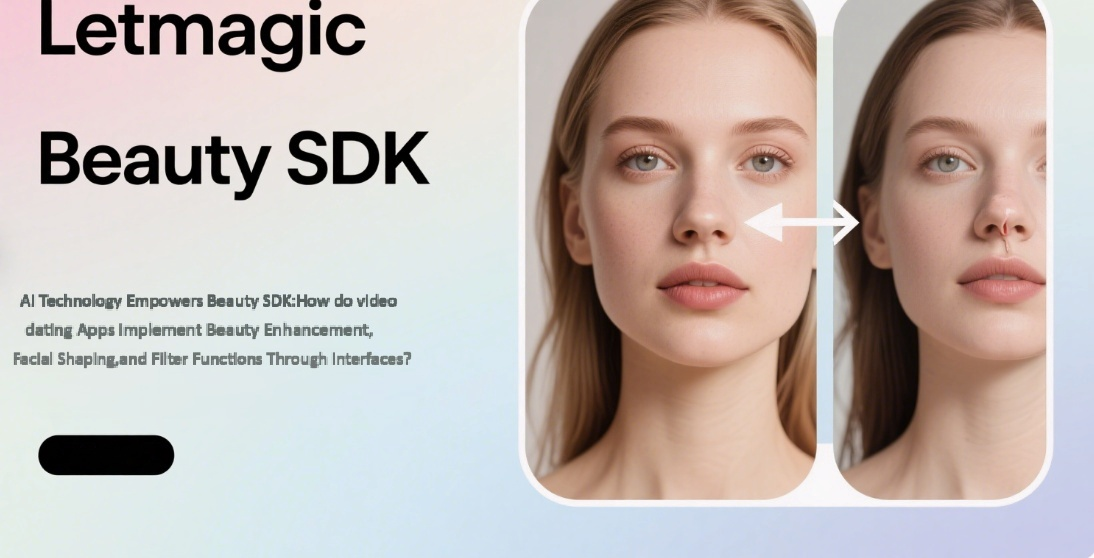
In the current era of in-depth mobile internet penetration, video dating apps have become an important social scenario for young people. Users have increasingly strict requirements for "on-camera effects" during real-time interactions, and a natural, smooth, and personalized system of beauty enhancement, facial shaping, and filters has gradually become the core competitiveness of such apps. Behind this, AI technology, in the form of Beauty SDK (Software Development Kit), is providing developers with efficient and implementable solutions. This article will break down how AI Beauty SDK helps video dating apps quickly build high-quality visual experiences, covering technical principles, function implementation, and interface integration.
Traditional beauty functions mostly rely on preset parameter templates, such as fixed skin-smoothing intensity and uniform face-slimming amplitude, which easily lead to a "sense of distortion"—either excessive skin smoothing makes the face look "blurred," or exaggerated facial shaping results in a "fake face." The integration of AI technology has transformed beauty enhancement from "passive application" to "active understanding," with core breakthroughs reflected in three aspects:
First, AI Beauty SDK realizes real-time face detection and key point positioning through deep learning models. Compared with the traditional 68-point facial key point algorithm, AI models can capture more than 200 subtle feature points (such as eye corners, nose wings, jawlines, etc.) and even recognize changes in skin texture, contours, and dynamic expressions in facial regions (forehead, cheekbones, chin). For example, when a user speaks, AI can distinguish between "natural mouth corner movements" and "jawline contours that need optimization," preventing the facial shaping effect from showing "discontinuities" as expressions change.
Based on structural analysis, AI can generate "personalized beauty solutions for each individual" according to the user’s facial features (face shape, facial proportion, skin tone). For instance, for users with round faces, AI will prioritize optimizing the softness of the jawline rather than excessive face slimming; for users with sensitive skin, the skin-smoothing algorithm will retain skin texture while fading redness. This personalized capability stems from the application of GAN (Generative Adversarial Network)—the "generator" learns a large amount of real facial data, the "discriminator" judges the naturalness of the effect in real time, and finally outputs an image that is both enhanced and realistic.
Video dating apps have extremely high requirements for "real-time performance," and the delay in beauty processing must be controlled within 80ms (the human eye can perceive lag when the delay exceeds 100ms). Through model lightweight technologies (such as quantization compression and knowledge distillation), AI Beauty SDK compresses large models that originally required cloud computing to run on the end side. At the same time, it invokes the device’s GPU/NPU hardware acceleration, enabling a stable frame rate of over 30fps at 720P resolution on mainstream mobile phones.
The function modules of AI Beauty SDK are usually opened to developers through standardized interfaces, covering full-scenario needs from basic beauty enhancement to advanced special effects (the following are common modules and their technical implementation logic):
Traditional skin smoothing relies on Gaussian blur, which easily loses skin texture; AI beauty enhancement, on the other hand, uses "semantic segmentation" technology to divide the face into regions such as skin, hair, and facial features (eyes, lips) for targeted processing:
- Skin Region: Combine "edge-preserving filtering algorithm" with AI skin texture analysis (to identify acne marks, spots, pores) to dynamically adjust skin-smoothing intensity (e.g., strengthen blurring in spot areas and retain texture in normal skin areas);
- Hair Region: AI recognizes the contours of eyebrows and eyelashes to prevent "faded eyebrows and disappearing eyelashes" caused by skin smoothing;
- Facial Feature Region: Retain iris details in the eyes and lip texture on the lips to ensure "beauty enhancement without blurring facial features."
Developers can use interfaces (such as setSkinSmoothParam(int intensity, boolean keepTexture)) to set skin-smoothing intensity and texture retention switches, and obtain real-time skin texture analysis results (returning a SkinQuality object containing parameters such as the number of spots and pore density).
The facial shaping function needs to solve two major problems: "natural effect" and "no deformation with expressions." AI achieves this through the following technologies:
- 3D Facial Modeling: Build a 3D mesh of the user’s face based on more than 200 key points, calculate three-dimensional parameters such as nose bridge height and jawline curvature, and avoid the problem of "good-looking front view but distorted side view" in traditional 2D facial shaping;
- Dynamic Constraint Algorithm: When the user makes exaggerated expressions (such as laughing, raising eyebrows), AI will temporarily relax facial shaping parameters—for example, the intensity of jawline shaping decreases with the degree of mouth opening to prevent "face deformation"; after the expression returns to normal, it automatically reverts to the original parameters to achieve "dynamic adaptation."
Developers can use the setFaceShapeParam interface to adjust facial shaping dimensions (eye enlargement, face slimming, nose thinning, etc.). The parameter range is usually 0~100 (0 for off, 100 for maximum intensity). AI will automatically limit the upper limit based on the user’s facial features (e.g., when a user with small eyes adjusts "eye enlargement" to 80, AI will restrict the pupil ratio to not exceed the natural threshold).
Filter functions are no longer simply superimposing preset tones; AI can dynamically adjust effects based on ambient light and scene features:
- Light Adaptation: Obtain ambient light intensity (such as backlight, low light, warm indoor light) through the camera sensor, and AI automatically optimizes filter exposure (reducing contrast in backlight scenarios, increasing brightness while suppressing noise in low-light scenarios);
- Style Transfer: Based on the filter style selected by the user (fresh, retro, ins-style), AI extracts the core features of the style (tone curve, color saturation, detail sharpening degree), and then fine-tunes it according to the user’s skin tone to avoid problems such as "good-looking filter but yellow/overly white skin" (e.g., retro filters retain the user’s natural skin tone and only adjust the background tone).
Developers can call the setFilterStyle(String styleName) interface to switch filters. The SDK will return real-time rendering parameters after adaptation and support custom adjustment of filter intensity (via setFilterIntensity(float intensity)).
The core goal of integrating AI Beauty SDK into video dating apps is to "launch usable functions quickly, control and adjust effects, and ensure stable performance." The following are standardized implementation steps and key considerations:
First, select the corresponding SDK version (usually providing .aar/.framework static libraries) according to the app’s development platform (iOS/Android), and complete basic environment configuration:
- Device Compatibility: Confirm that the SDK supports the minimum system version (e.g., Android 6.0+/iOS 11.0+) and mainstream chips (Qualcomm, MediaTek, Apple A-series);
- Permission Application: Beauty functions rely on camera image capture, so "camera permission" and "microphone permission" (required for simultaneous audio capture in video dating) must be applied for when the app starts;
- Resource Package Loading: AI model files (usually dozens of MB) can be either "downloaded and decompressed on first launch" or "packaged with the SDK by default." Built-in packaging can reduce the first loading wait time, but attention must be paid to controlling the installation package size (optimization can be achieved through "on-demand model loading"—loading lightweight models for basic beauty enhancement and full models for advanced facial shaping).
SDK interface design usually follows the process of initialization → parameter setting → render rendering. Developers only need to call a small number of interfaces to achieve a closed function loop (taking Android as an example):
Initialize the engine instance using an authorization key (applied for from the SDK vendor) and pass in device hardware information (CPU/GPU model) so that the SDK can automatically select the optimal algorithm path (e.g., invoking GPU acceleration for high-end models and enabling CPU lightweight mode for low-end models):
//InitializethebeautyengineBeautyEnginebeautyEngine=newBeautyEngine();beautyEngine.init(context,"AuthorizationKey",deviceInfo);
After initialization, adjust beauty enhancement, facial shaping, and filter parameters through interfaces. SDKs usually provide two modes: "preset templates" (e.g., "natural," "refined," "original") and "custom parameters." Developers can select default templates based on the app’s user profile while opening custom entry points (such as "skin smoothing" and "face slimming" sliders):
//Applythe"natural"presettemplatebeautyEngine.applyPreset("natural");//Customizeskin-smoothingintensity(0-100)beautyEngine.setBeautyParam(BeautyType.SKIN_SMOOTH,60);//Customizeface-slimmingintensity(0-100)beautyEngine.setFaceShapeParam(FaceShapeType.THIN_FACE,40);//Applythe"ins-style"filterbeautyEngine.setFilterStyle("ins_style");Pass the original image captured by the camera (usually a Texture) into the SDK. The AI engine processes it and returns the rendered texture, which is then displayed via SurfaceView/TextureView:
//Processtheimageinthecamerapreviewcallback@OverridepublicvoidonPreviewFrame(Texturetexture,intwidth,intheight){
//AIbeautyprocessing
TextureprocessedTexture=beautyEngine.render(texture,width,height);
//Displaytheprocessedimage
previewView.updateTexture(processedTexture);}Video dating apps need to run beauty functions for a long time, and performance issues (lag, high power consumption, overheating) directly affect the user experience, requiring focused optimization:
- Frame Rate Stability: Adopt a "dynamic frequency reduction" strategy—when the device temperature exceeds 40℃ or the frame rate drops below 25fps, automatically reduce model precision (e.g., reducing key points from over 200 to over 100) to prioritize smoothness;
- Memory Usage: Avoid frequent creation of engine instances and manage the BeautyEngine object using the singleton pattern; release unused texture resources in a timely manner after rendering to prevent memory leaks;
- Hardware Acceleration: Forcibly enable the device’s GPU/NPU (such as Android’s NNAPI and iOS’s Metal), which can improve AI computing efficiency by 3-5 times while reducing CPU load (lowering CPU usage from over 30% to below 10%).
A leading video dating platform has publicly released data: after integrating AI Beauty SDK, the average duration of users’ first video call increased by 23% (natural beauty effects reduced the fear of "looking different in person"), and the 30-day retention rate increased by 15%; in terms of technical indicators, the image lag rate dropped from 8% to below 2%, the average daily usage time of the beauty function per device reached 47 minutes, and the increase in power consumption was controlled within 5% (optimized through hardware acceleration). This confirms the dual value of AI Beauty SDK in "enhancing user experience" and "ensuring technical stability."
With the upgrading of user needs and technological iteration, AI Beauty SDK is evolving from "basic enhancement" to "in-depth personalization" and "scenario-based integration":
- More Refined Personalized Customization: Generate "exclusive beauty solutions" based on user behavior data (such as historical beauty parameter adjustment records and facial features)—for example, users who often adjust "eye enlargement + nose thinning" will have this parameter combination automatically applied when opening the app;
- Cross-Modal Beauty Enhancement: Combine voice emotions (e.g., detecting when the user laughs) to automatically adjust the beauty style (soft skin smoothing + brightened skin tone), or integrate with scenarios (e.g., automatically enhancing fill light + noise reduction for night videos);
- Strengthened Privacy Protection: Adopt "end-side AI" technology (models run locally on the mobile phone, and original images are not uploaded to the cloud) to avoid the risk of user facial data leakage, complying with the requirements of the Personal Information Protection Law for biometric data.
AI technology is redefining the "visual language" of video social interaction, and Beauty SDK serves as a "bridge" for developers to quickly access this technology. For video dating apps, choosing an AI Beauty SDK that adapts to their users’ needs, has stable performance, and user-friendly interfaces not only reduces technical R&D costs but also helps build differentiated competitiveness through high-quality visual experiences. After all, allowing users to "look naturally good" on camera is the core logic for social products to retain users.




