What is a Beauty SDK? A Quick Development Guide for Android and Apple iOS Platforms
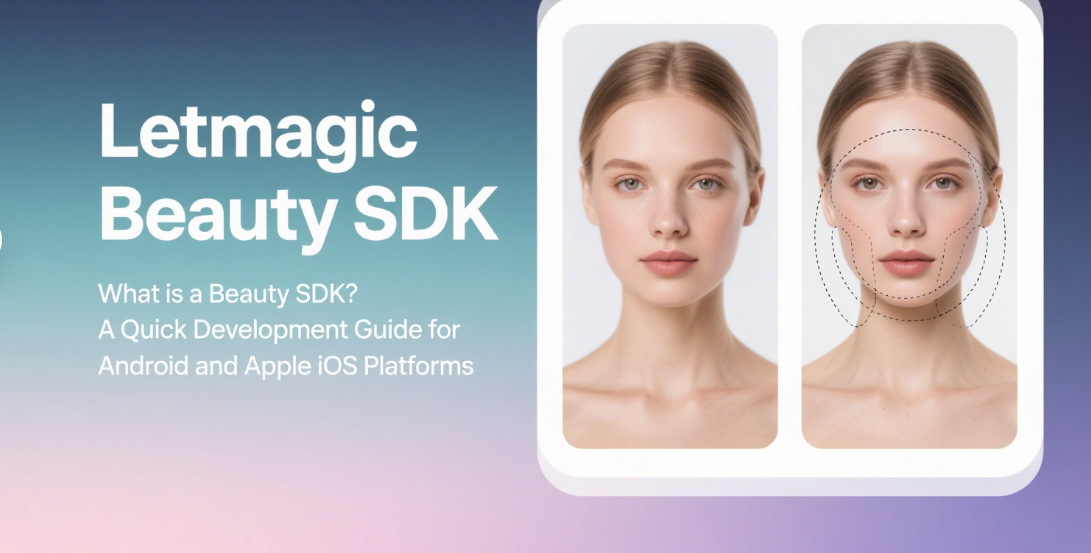
In today’s world where the mobile internet has deeply penetrated daily life, scenarios such as video socializing, live-streaming e-commerce, and online education have become crucial ways for users to interact. In these scenarios, "visual appeal" is often the first threshold for user experience—clear images and natural beauty effects not only boost user confidence but also directly impact a product’s user retention and engagement. However, for most developers, building a mature beauty system from scratch poses multiple challenges, including difficult algorithm optimization, complex hardware adaptation, and long iteration cycles. This is where Beauty SDK (Software Development Kit) emerges as an efficient solution.
Simply put, a Beauty SDK is a collection of tools that packages mature beauty algorithms, hardware adaptation solutions, and functional modules into standardized interfaces. Developers do not need to delve into underlying technologies like face detection, key point recognition, or image rendering. Instead, they can quickly integrate basic beauty features (such as skin smoothing, whitening, face slimming, and eye enlargement) into their applications through simple interface calls—even advanced capabilities like AR effects and virtual makeup stickers. Choosing a Beauty SDK essentially means using a mature technical solution to reduce development costs, allowing teams to focus more on core business innovation.
The Android system suffers from severe device fragmentation. Devices of different brands and models vary in GPU performance, camera drivers, and system versions, which poses challenges to the stable operation of beauty functions. When developing with an SDK, focus on three core aspects: permission management, hardware adaptation, and performance optimization.
Android 6.0 (API 23) and higher require dynamic application for sensitive permissions. Beauty functions rely on permissions for the camera, microphone (if audio recording is needed), and storage (if saving images/videos is needed). During development, declare static permissions in AndroidManifest.xml and dynamically apply for them in code using the ActivityCompat.requestPermissions() method. For example:<uses-permission android:name="android.permission.CAMERA" /><uses-permission android:name="android.permission.RECORD_AUDIO" />
Additionally, ensure the device supports OpenGL ES 3.0 or higher (mainstream Beauty SDKs rely on GPU rendering; older OpenGL versions may cause functional abnormalities).
Mainstream Beauty SDKs offer two integration methods: Gradle remote dependency or local aar package. Taking Gradle as an example, add the dependency to the build.gradle file of the app module:
implementation 'com.example.beauty:sdk:1.0.0'
After integration, activate the SDK in the Application class or initialization page—this typically requires passing the app package name, License key (for copyright verification to prevent piracy), and a Context object. Note: Initialization must be executed on the main thread, and repeated initialization should be avoided (it may cause memory leaks).
The core of a Beauty SDK is "video stream processing": capturing frames from the camera, processing them via SDK algorithms, and rendering the result to the interface. On Android, SurfaceView or TextureView is commonly used as the preview carrier. The development steps are roughly as follows:
- Initialize the camera: Use
CameraManager to open the camera and set the preview size (it is recommended to match the resolution supported by the SDK, such as 720P or 1080P); - Bind the SDK processor: Pass the preview data output by the camera (e.g., in NV21 format) to the SDK’s
BeautyProcessor, and set parameters such as skin smoothing intensity (0-100) and whitening level (0-100); - Render the processed frame: The image data processed by the SDK is callback to
TextureView via SurfaceTexture to complete real-time preview.
Some SDKs also support "offline image processing": directly apply beauty effects to images by calling BeautySDK.processBitmap(bitmap), which is suitable for photo-taking functions.
The key to Android development is solving "device adaptation". For example, some low-end devices have weak GPU performance—enabling high resolution + high beauty intensity may cause lag. You can use the "performance mode" provided by the SDK (e.g., disabling blur effects, reducing the frequency of facial key point detection) to balance effect and smoothness. Additionally, test compatibility with mainstream brand devices (Huawei, Xiaomi, OPPO, etc.) to avoid functional abnormalities caused by customized vendor systems (e.g., camera permissions being blocked by system managers).
The iOS ecosystem is relatively closed, with higher uniformity in hardware and system versions. Integrating a Beauty SDK is slightly easier than on Android, but attention should be paid to interaction with the AVFoundation framework, memory management, and Metal rendering optimization.
iOS requires declaring purpose descriptions for camera and microphone permissions in Info.plist; otherwise, the app will crash:
NSCameraUsageDescription: "Need access to the camera for video preview"NSMicrophoneUsageDescription: "Need access to the microphone for audio recording"
In addition, if the SDK contains C++ code or static libraries, set Enable Bitcode to NO in Build Settings (some SDKs do not support Bitcode), and ensure the minimum deployment target (Deployment Target) is not lower than the SDK’s requirement (usually iOS 11.0 or higher).
Most iOS SDKs are integrated via CocoaPods. Add the following to the Podfile:
pod 'BeautySDK', '~> 1.0.0'
After executing pod install, import the header file in the project: #import <BeautySDK/BeautySDK.h>. For initialization, call [BeautySDK sharedInstance].activateWithLicenseKey:@"your_license" in AppDelegate or ViewController, and pass the bundleID (bound to the License to prevent the SDK from running in non-target apps).
iOS uses the AVFoundation framework to capture camera data. The integration process with the SDK is as follows:
- Configure
AVCaptureSession: Create a session object, set sessionPreset to AVCaptureSessionPreset1280x720 (720P), and add AVCaptureDeviceInput (camera input) and AVCaptureVideoDataOutput (video data output); - Bind the SDK processing callback: In the sample buffer delegate method of
AVCaptureVideoDataOutput, pass CMSampleBufferRef (video frame data) to the SDK’s processSampleBuffer: method and set beauty parameters; - Render the frame: The processed
CVPixelBufferRef from the SDK can be rendered to MTKView via MetalKit or OpenGL. The Metal framework offers better performance than OpenGL and is the recommended rendering solution for iOS.
iOS development requires focusing on memory usage and CPU/GPU load. For example, GPU performance varies greatly across iPhone models (e.g., iPhone SE series vs. Pro series). You can use the SDK’s "dynamic resolution" feature to automatically adjust the processing resolution based on the device model. Additionally, video processing is a high-energy operation—pause the SDK in background mode (e.g., call [BeautySDK sharedInstance].pause() when the app enters the background) to avoid excessive battery consumption.
For developers, the core value of a Beauty SDK lies in "cost reduction and efficiency improvement"—it eliminates costs related to algorithm R&D (requiring a team with experts in computer vision and graphics), hardware adaptation (needing to test hundreds of device models), and iteration maintenance (keeping up with user demands for "natural beauty effects"). This allows products to launch beauty functions within 1-2 weeks and quickly seize market opportunities.
For users, a high-quality Beauty SDK delivers "natural, undistorted effects"—for example, through AI-powered facial key point detection (accurately locating facial features), adaptive skin tone algorithms (avoiding the "mask-like effect" from over-smoothing), and AR effect integration (real-time overlay of virtual makeup and dynamic stickers)—enhancing interaction fun.
In the future, Beauty SDKs will develop toward "intelligence" and "scenarioization": combining large AI models to achieve "style transfer beauty" (e.g., film-like or oil painting-style effects), optimizing algorithms for specific scenarios (such as "product true restoration + facial beauty" dual modes for live-streaming e-commerce), and even integrating with the metaverse and VR socializing to provide virtual avatar beauty capabilities.
Whether for Android or iOS, a Beauty SDK is essentially a "standardized output of technical capabilities". For developers, choosing a mature Beauty SDK not only quickly meets users’ demands for "visual appeal" but also allows them to focus on innovating core product experiences. During integration, Android development requires prioritizing device adaptation and permission management, while iOS development needs to focus on AVFoundation interaction and performance optimization. The common goal for both platforms is to ensure beauty functions are "natural in effect, stable in operation, and smooth in experience"—this is the basic expectation users have for mobile applications.




