

Updated:2025-09-27
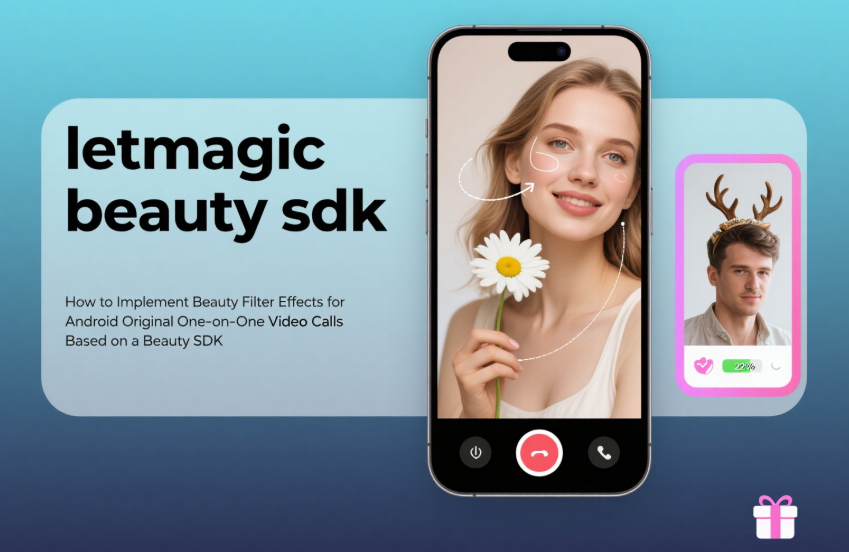
In the mobile internet era, one-on-one video calls have become a mainstream communication method, and users' demands for video quality and aesthetics are constantly rising.
As a core function to enhance video experience, the implementation of beauty filters on the Android platform requires connecting the technical link between the "video call framework" and the "beauty SDK".
This article will elaborate on the complete process of implementing beauty filter effects for Android native one-on-one video calls based on a beauty SDK from a practical perspective.
I. Preparations: Build the Basic Development Environment and Select Tools
The prerequisite for integrating beauty filters is to set up the development environment and select core tools, laying the foundation for subsequent development.
1. Development Environment Setup
Install Android Studio that meets project requirements, ensure compatibility of SDK Tools (such as NDK, Build Tools) versions, and it is recommended to use Android 10.0 (API 29) or higher as the base version to support mainstream devices.
Configure project dependencies. If implementing video calls based on WebRTC, introduce WebRTC-related libraries (e.g., org.webrtc:google-webrtc:1.0.32006).
2. Beauty SDK Selection and Integration
Choosing a suitable beauty SDK is key to development efficiency. The evaluation dimensions and integration steps are as follows:
Selection Criteria: Focus on four core indicators — ① Function coverage (basic beauty features like skin smoothing, whitening, and face slimming + extended functions like filters and stickers); ② Performance (latency ≤ 10ms, CPU usage ≤ 15%, memory consumption ≤ 100MB); ③ Compatibility (supports Android 7.0+ and mainstream chip platforms); ④ API usability (provides clear video frame processing interfaces).
Basic Integration: Follow the SDK's official documentation, add dependency libraries via build.gradle, configure permissions (CAMERA, RECORD_AUDIO, INTERNET, etc.) in AndroidManifest.xml, and complete SDK authorization and activation.
II. Core Development: Connect the Video Stream and Beauty Processing Link
The core of the development phase is to realize the closed loop of "video frame capture → beauty processing → return and rendering", which requires in-depth integration of the video call framework and the beauty SDK.
1. Video Call Engine Initialization (Taking WebRTC as an Example)
First, build the basic capabilities of one-on-one video calls to ensure the normal flow of the original video stream:
Initialize PeerConnectionFactory and configure audio/video encoding parameters (e.g., video resolution 1280×720, frame rate 30fps);
Create a VideoCapturer to collect camera data, generate VideoSource and VideoTrack, establish a PeerConnection network connection, and realize the capture, transmission, and local preview of the original video.
2. Beauty SDK Initialization and Parameter Configuration
After the video call engine is ready, start the beauty SDK and complete basic configurations:
Pass in the Application or Activity context object, and call the SDK initialization interface (e.g., BeautySDK.init(context, licenseKey));
Configure default beauty parameters: Set basic beauty levels (e.g., skin smoothing intensity 3, whitening intensity 2), enable the filter function and specify a default filter (e.g., "Natural" filter), supporting subsequent dynamic adjustments.
3. Docking Video Frame Capture and Beauty Processing
This is a core technical node that requires intercepting the original video frame and passing it to the beauty SDK for processing:
Obtain Original Video Frames: Intercept data through the callback interface of the video call framework. Taking WebRTC as an example, implement the VideoSink interface, and extract frame data in the onFrame(VideoFrame frame) method — you can obtain the NV21 format byte array via frame.buffer().toNv21Buffer(), or get texture data via frame.buffer().toTextureBuffer().
Call Beauty Processing: Pass the original frame data to the processing interface of the beauty SDK. For byte arrays, specify the data format, resolution, and rotation angle; for texture data, directly pass the texture ID with OpenGL ES, and call BeautySDK.processFrame(textureId, width, height, rotation) to obtain the processed texture.
4. Return and Rendering of Processed Video Frames
Re-inject the beauty-enhanced video frame into the video call link to realize preview and transmission:
Frame Data Format Adaptation: Ensure the format of the processed video frame is consistent with the requirements of the video call engine. If WebRTC requires TextureBuffer, encapsulate the processed texture into a TextureBufferImpl object;
Create Custom VideoTrack: Create a new VideoSource via PeerConnectionFactory, pass the processed frame data through VideoSource.captureFrame(processedFrame), generate a new VideoTrack and replace the original track to realize local preview update and remote transmission.
5. Dynamic Adjustment of Beauty Parameters
To improve user experience, implement real-time interactive adjustment functions:
Add adjustment controls (e.g., sliders, filter selectors) in the UI layer and monitor user operations;
Map control values to the SDK parameter range (e.g., slider 0-100 corresponds to skin smoothing intensity 0-5), and call the SDK's real-time update interface (e.g., BeautySDK.setSmoothIntensity(intensity)) to realize instant changes in beauty effects.
III. Testing and Optimization: Ensure Both Effect and Performance Meet Standards
After integration, conduct comprehensive testing to identify issues and optimize performance and compatibility in a targeted manner.
1. Core Testing Dimensions
Effect Testing: Verify the naturalness of beauty effects under different lighting conditions (backlight, low light) and expressions (laughing, side face), avoiding problems like "unnatural mask effect" and "blurred edges";
Performance Testing: Use Android Studio Profiler to monitor indicators — latency (≤15ms to avoid call freezes), CPU usage (≤20%), memory consumption (≤150MB) to prevent device overheating;
Compatibility Testing: Cover high, medium, and low-end models of mainstream brands (Huawei, Xiaomi, OPPO, etc.) with Android 7.0+, and test stability under extreme scenarios (low battery, multiple background apps running).
2. Targeted Optimization Solutions
Performance Bottlenecks: If latency is too high, reduce the complexity of beauty algorithms (e.g., disable unnecessary makeup functions); if CPU usage is high, migrate texture processing tasks to GPU and enable OpenGL ES hardware acceleration;
Compatibility Issues: Establish a device feature library, adapt SDK parameters for different chips (e.g., Qualcomm, MediaTek), and automatically downgrade beauty effects for older models;
Frame Abnormalities: Optimize frame format conversion logic to avoid screen distortion or green screen caused by data copy errors, capture exceptions like GLException, and handle them gracefully.
IV. Summary and Key Notes
1. Core Logic Sorting
Implementing beauty filters for Android native one-on-one video calls based on a beauty SDK essentially involves intercepting and redirecting the video frame data stream: obtaining original frames through the video call framework → optimizing them with the beauty SDK → returning them to the framework for rendering and transmission. The key is to understand the data flow mechanism of both, ensuring matching interface call sequences and data formats.
2. Development Notes
Permissions and Privacy: Dynamically apply for CAMERA and RECORD_AUDIO permissions, following the user authorization process; strictly protect video data to avoid unauthorized storage or transmission;
Exception Handling: Add fallback logic for scenarios such as SDK initialization failure and frame processing errors (e.g., downgrading to the original video stream) to prevent app crashes;
SDK Maintenance: Choose an SDK with continuous updates, promptly adapt to new Android versions (e.g., permission changes in Android 14), and keep up with adaptation requirements brought by device hardware upgrades.
Through the above steps, you can stably integrate beauty filter effects into Android native one-on-one video calls, balancing natural beautification performance and smooth call experience, and significantly enhancing the competitiveness of your application.


