

Updated:2025-09-29
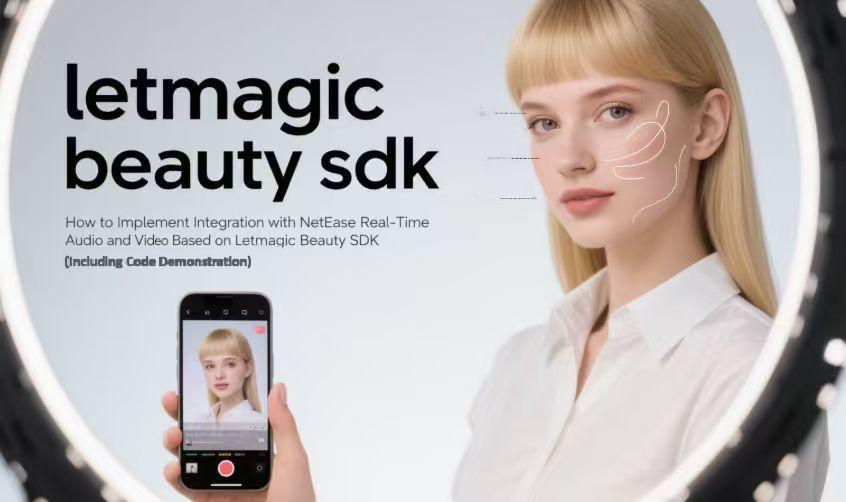
The widespread adoption of real-time audio and video (A/V) technology in social networking, live streaming, and online education has driven higher user demands for call quality and beauty effects.
Combining the professional beautification capabilities of Letmagic Beauty SDK with the stable transmission of NetEase Yunxin Real-Time Communication (RTC) SDK can significantly enhance product experience.
This article details their integration process to help implement high-quality, beauty-enhanced real-time A/V calling.
I. Preparation: Lay a Solid Development Foundation
Before integration, complete environment setup, resource acquisition, and preliminary configuration to remove obstacles for subsequent development.
1. Adapt the Development Environment
Ensure compatibility with both SDKs:
Android: Install the required Android Studio version; configure dependencies (e.g., NDK, Build Tools) per official guidelines.
iOS: Prepare a compatible Xcode version; follow official instructions to set up SDK dependencies.
2. Obtain Accounts and SDK Resources
NetEase Yunxin RTC SDK: Register on the official website → create an app to get an App Key → download the latest SDK and supporting docs.
Letmagic Beauty SDK: Contact the official team to obtain an authorization License, latest SDK package, development manual, and beauty resources (e.g., filters, stickers).
3. Complete Preliminary Integration
Import library/resource files of both SDKs into the project (refer to official docs).
Configure project parameters, verify correct resource paths, and confirm basic integration via compilation.
II. Core Implementation: Connect Beauty and A/V Workflows
The key is linking the two SDKs’ workflows and embedding beauty processing in the video frame pipeline. Follow these 4 steps:
1. Initialize Both SDKs (Order Matters: RTC First, Then Beauty)
NetEase Yunxin RTC SDK: At app startup, pass the App Key and other core parameters to initialize NERTCEngine (lays the foundation for A/V calls).
Letmagic Beauty SDK: Before starting a call, provide the License and resource path to activate the SDK; set default beauty parameters (e.g., skin smoothing, whitening).
2. Start Video Capture and Preview
Use the RTC SDK’s built-in capabilities:
Call RTC APIs to start local video capture (specify front/rear camera and capture parameters).
Render the original video stream to a local preview view to confirm the camera works properly.
3. Embed Beauty Processing (Critical for Beauty Effects)
This step inserts beauty logic into the video frame pipeline:
Register video frame callback: Enable the RTC SDK’s callback at the "post-capture, pre-encoding" stage.
Format adaptation & processing: Convert the original frame format (if needed) → pass it to Letmagic Beauty SDK with configured parameters.
Return processed frames: Send the beautified frames back to the RTC SDK for encoding, transmission, and remote rendering.
4. Implement Dynamic Beauty Parameter Adjustment
Design UI controls for user customization:
Add sliders (for skin smoothing/whitening intensity) and buttons (for filter switching, face slimming).
Map control values to Lanji Beauty SDK’s parameter range and update in real time.
III. Key Considerations: Mitigate Development Risks
1. Ensure Thread Safety & Performance Balance
Process video frames in separate threads to avoid UI lag.
Dynamically adjust beauty levels based on device performance.
Use the beauty SDK’s built-in performance optimization features.
2. Manage Permissions & Resources
Request necessary permissions (camera, microphone, storage) per platform rules.
Ensure beauty resources (filters, stickers) are deployed to the specified project directory.
3. Address Compatibility & Error Handling
Verify SDK versions match the target OS requirements (e.g., Android 8.0+, iOS 12.0+).
Add fallback logic (e.g., revert to original video if beauty processing fails) and error logging.
4. Strengthen Testing & Validation
Test under diverse network conditions (4G, Wi-Fi) and lighting (backlight, low light).
Verify compatibility across mainstream device brands/models.
IV. Summary: Core Logic & Practical Tips
1. Core Integration Logic
The essence is intercepting video frames → processing via Lanji Beauty SDK → returning to NetEase Yunxin RTC SDK. The key is understanding both SDKs’workflows and ensuring correct callback timing + data format adaptation.
2. Practical Recommendations
Thoroughly study official documentation of both SDKs.
Leverage official technical support when encountering integration issues.
Iterate based on user feedback and SDK version updates.
By following this process, you can deeply integrate Letmagic Beauty SDK with NetEase Yunxin RTC SDK, delivering natural beauty effects alongside smooth calls—helping your product stand out in the market.


